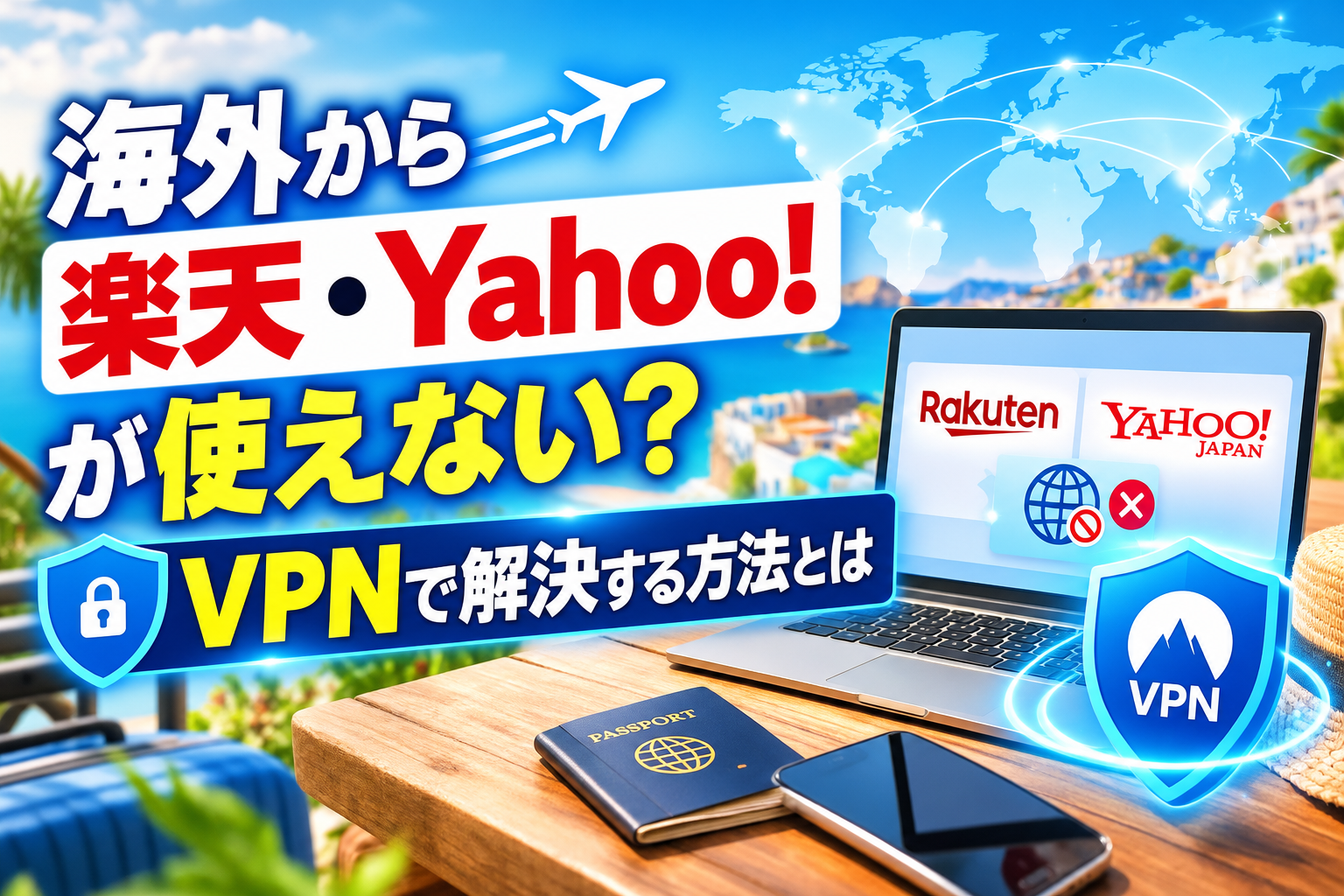

Have you ever experienced issues such as “not displayed” or “unable to log in” when trying to access Rakuten Ichiba and Yahoo! JAPAN from overseas?
This restricts access from outside Japan.“Geoblock”That’s why VPNs are so useful. With VPNs, you can connect to your Japanese IP address even when you’re abroad, allowing you to use Rakuten and Yahoo! just like you would in Japan. In this article, we’ll go over the details of geo-blocking, how to choose a VPN, how to use it on your smartphone or PC, and the best VPN ranking—all in an easy-to-understand format! This information is essential for those who live or travel abroad and want to use Japan’s online services safely and comfortably. It’s a must-read for anyone who wants to enjoy Japan’s online services safely and comfortably.
💡 What you’ll learn from reading this article
- The reason why you can't access Rakuten and Yahoo! JAPAN from overseas is because of geoblocks (regional restrictions) and security measures or the GDPR.
- By using a VPN (virtual private network) through a Japanese server, you can bypass restrictions and use it from overseas as well.
- Specific steps for installing VPN apps on smartphones and PCs, and troubleshooting when they don't connect
- Comparison and selection of recommended VPNs for use overseas, such as ExpressVPN and Surfshark
- Advantages and disadvantages of using a VPN, common questions (Q&A), and how to set up a VPN for public Wi-Fi and watching video streaming services.
[Current Situation] Why can't Rakuten and Yahoo! be used from overseas?
"When I tried to check out Japanese news while traveling abroad, Yahoo! wouldn't open..." "When I tried to buy a gift from my family in Japan through Rakuten from my new place of assignment, it crashed!"
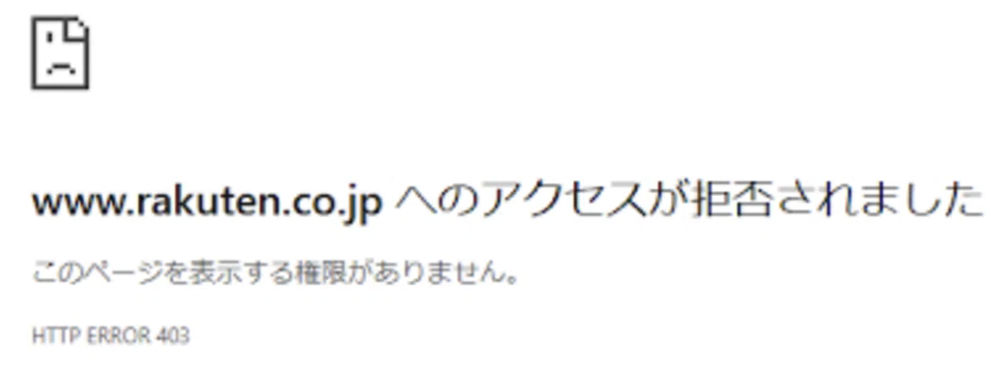
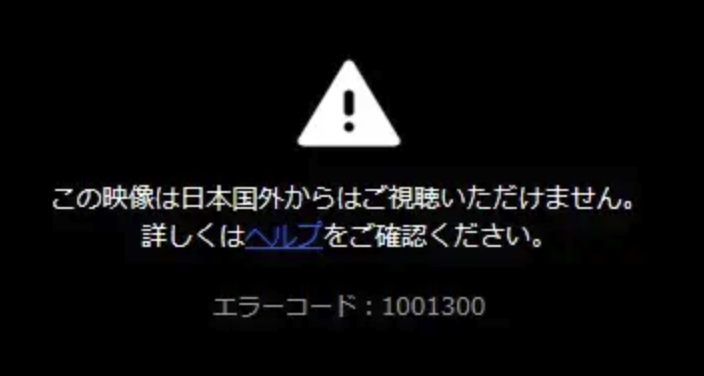
Have you ever had a frustrating experience while traveling abroad? When you’re in Japan, services that were so commonplace that they were taken for granted are suddenly shut down the moment you cross a border. Why do these kind of unfair things happen?
Real-life accounts from those living abroad: How a VPN helped overcome access restrictions on Rakuten and Yahoo!
Using Yahoo! JAPAN while on an overseas assignment in Europe (Company employee in their 30s)

After moving to Europe for work, I suddenly found myself unable to access Yahoo! News—a site I had checked every single morning—due to regional restrictions. I was quite distressed, as I could no longer keep up with current events in Japan, nor could I access my Yahoo! Mail account, which I had relied on as my primary email for years. Following a friend’s recommendation, I installed ExpressVPN and connected to a server in Japan. The moment I reopened Safari, the familiar homepage appeared instantly, and I was finally able to attend to the important emails that had been piling up. Now, during my daily commute, I can stay up to date with the latest news from Japan so seamlessly that I often forget I’m even abroad.
Arranging gifts via Rakuten Ichiba while staying in the U.S. (Housewife in her 40s)

While staying in the U.S., I tried to purchase a gift on Rakuten Ichiba for my parents’ 50th wedding anniversary back in Japan. However, as soon as I added the item to my cart and proceeded to checkout, a security error triggered, blocking the transaction. Since I also had several thousand yen worth of limited-time points set to expire at the end of the month, I quickly signed up for Surfshark. I temporarily disabled location services on my smartphone and logged back into Rakuten using an incognito browser window; this time, the payment went through smoothly without any issues. I was able to successfully arrange the gift and ensure that my valuable points didn’t go to waste.
Safe Internet Use While on a Business Trip in Southeast Asia (20s, Sales Role)

During a long-term business trip in Southeast Asia, I planned to use the hotel’s free Wi-Fi to handle work-related communications via Yahoo! Mail, and to stock up on daily necessities for my return home by shopping on Rakuten Ichiba during my downtime. However, realizing that entering credit card information over a public Wi-Fi network posed a high risk of data leakage, I decided to use NordVPN. By employing military-grade encryption to ensure security and routing my connection through a Japanese IP address, I was able to shop safely without triggering Rakuten’s fraud-detection systems—which otherwise might have locked my account. I could also send and receive work emails with complete peace of mind, which significantly reduced the stress of my business trip.
The culprit is what can be called the "border gate" on the Internet.Geo-block (regional restrictions)It works like this:
When we connect to the Internet, our smartphones and PCs are always assigned an “IP address,” a unique address on the internet. This address clearly indicates the location of where we are accessing the Internet from. Rakuten and Yahoo! systems can read this IP address in an instant and automatically distinguish between “access from Japan” and “access from overseas.”
Illustration: The mechanism of a geoblock
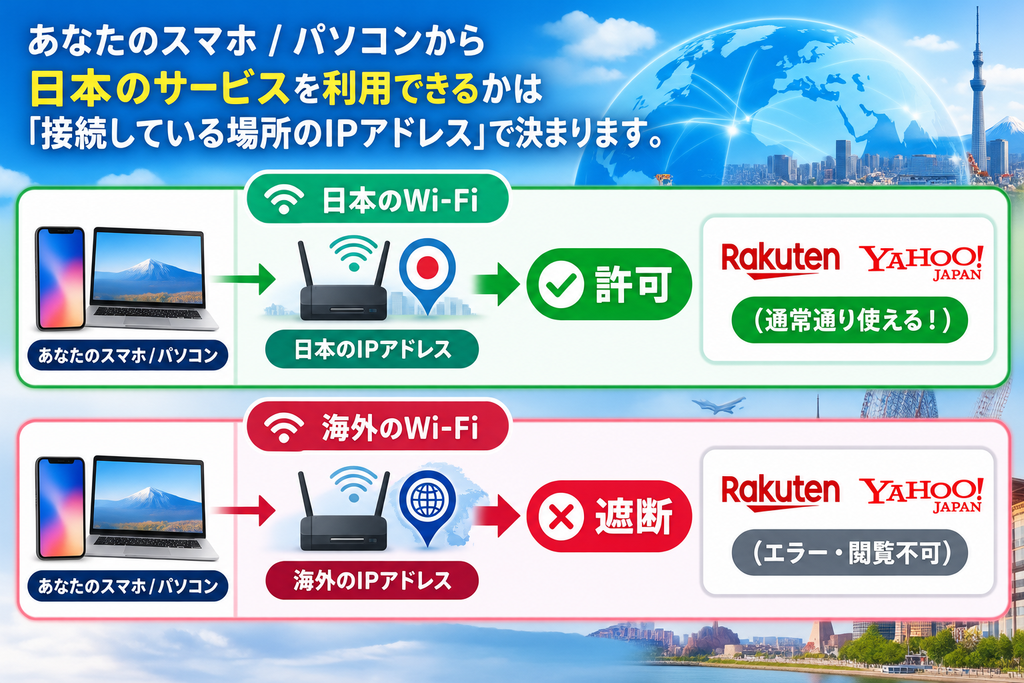
So why would companies even refuse access from overseas? It’s not just a simple act of harassment. There are two very real reasons why companies and users should protect themselves:
Reason 1: In the case of Yahoo! JAPAN = "Compliance with strict laws (GDPR)"
The biggest obstacle to using Yahoo! JAPAN is when you’re staying in Europe (EEA) or the United Kingdom. In fact, since April 2022, Yahoo! JAPAN has been completely blocking access from Europe in principle.
The reason is the “GDPR,” an ultra-strict personal information protection rule implemented in Europe. This law is very strict, and if it is violated, companies risk being fined a huge sum of money (hundreds of billions of yen). To avoid this risk, Yahoo! has made the difficult decision to “completely block access from Europe.”
Reason ②: In the case of Rakuten Marketplace = "Security to protect you from fraudulent use"
On the other hand, the main reason why shopping sites like Rakuten restrict access from overseas is “security.”
In recent years, there have been a number of cases of account takeover and fraudulent credit card use by cybercrime groups from overseas. Rakuten’s system automatically sounds an alarm when it detects an unusual movement, such as someone who usually makes purchases in Japan suddenly accessing the system to make a payment from a stranger overseas.
In other words, to prevent your valuable credit card information and Rakuten points from being stolen, they lock the account as a safety measure, and prevent login from overseas.
[One glance tells it all: the difference in overseas restrictions between Rakuten and Yahoo!]
| Services | The main reasons for blocking | Regions susceptible to the impact | The main problems faced by users |
| Yahoo! JAPAN | Legal responses from each country (GDPR etc.) | Throughout Europe and the UK | ・I can't see the latest news from Japan ・You can't send or receive emails on Yahoo! Mail ・The Knowledge Base cannot be viewed |
| Rakuten Ichiba | Preventing misuse Security measures | In Asia and Europe alike Overseas in general | - Failure to log in from overseas • It gets shot at the payment screen ・You can't use up the limited-time points |
What do you think? Since companies also have legitimate reasons such as "compliance" and "user protection," we cannot blame this restriction itself.
However, even for legitimate reasons, from the perspective of the user,「I can't read the latest news from Japan」「Important deadlines expire」That's a very pressing issue, isn't it? The stress caused by not being able to use these services, which are part of our daily infrastructure, is incalculable.
"I've come to a reasonable conclusion. But isn't there any way to use it from overseas? Those who feel that way, please rest assured. There is a magical trick to getting through this sturdy "geo-block" wall legally and safely.
That is the use of "VPN" that we will explain in the next chapter.
With a VPN, Rakuten and Yahoo! are available overseas too!

"I want to be able to shop and check the news just like when I'm in Japan even when I'm abroad!" VPN (Virtual Private Network) can fulfill that wish. With VPN, you can easily bypass geo-blocks (regional restrictions) on Rakuten and Yahoo! JAPAN that are inaccessible from overseas.
Here, we will explain in an easy-to-understand way the information you want to know, from the mechanism behind why VPNs work to the benefits and drawbacks of using them.
A mechanism for unblocking regional restrictions through VPN
VPN is a technology that creates an “encrypted safe private channel (virtual tunnel) on the Internet,” allowing you to communicate via servers in your favorite country around the world.
When accessing Rakuten or Yahoo! from overseas, your local IP address usually gets transmitted to the other side, which results in a block. However, by connecting using a VPN app and selecting a “Japanese server,” your communication will first pass through a Japanese server before reaching the desired site.
Illustration: An image of communication via VPN
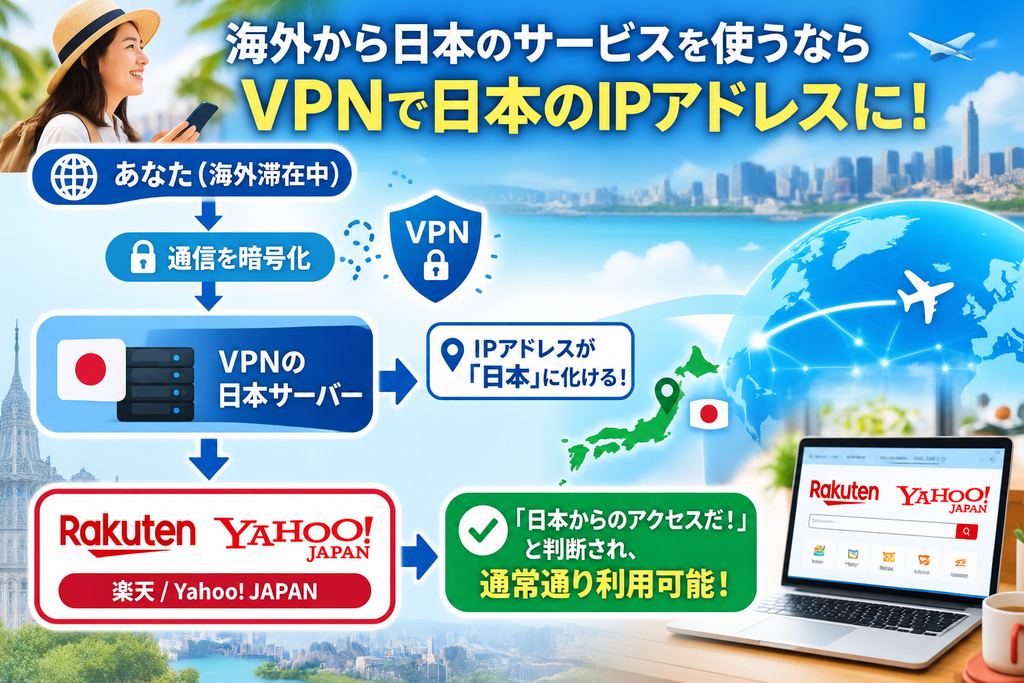
Since it appears as "access from within Japan" on the website, you will be able to use the service normally without encountering an error screen.
4 Benefits of Using a VPN on Rakuten and Yahoo!
Not only does it make it possible to access the internet, but the introduction of a VPN also has significant benefits that make living and traveling abroad more comfortable and secure.
1. All functions of Rakuten and Yahoo! can be used just like in Japan
You get an environment that is completely identical to the domestic market—including browsing Yahoo! News and sending and receiving Yahoo! Mail, logging in to Rakuten Ichiba, participating in shopping campaigns, and spending limited points.
2. Public Wi-Fi security is significantly improved
Free Wi-Fi in airports, cafes, and hotels abroad is not encrypted, which means there is a very high risk of hacking and data theft. Using a VPN ensures that all communications are securely encrypted using military-grade technology, so you can feel confident and secure when shopping for credit card information or passwords.
3. You can watch unlimited Japanese video streaming services such as TVer and Netflix
By connecting to a Japanese server using a VPN, you can watch video services such as Rakuten and Yahoo! as well as TVer, Abema, and Amazon Prime Video (Japanese version), which are blocked from overseas.
4. Instantly connect with one tap from your smartphone or PC
No complicated settings are required. Just download the app, select "Japan," and tap. The connection is complete in just a few seconds, so even those who are not comfortable with machines can use it without any hassle.
"3 disadvantages and points to note" that you should know before implementing
On the positive side, there are also some points that you should be aware of in advance.
1. Monthly usage fees (paid costs) are charged
High-quality VPNs that provide secure and fast connections are usually paid (around 300 yen to 1,000 yen per month). *It is a fundamental rule to avoid using completely free VPN apps due to the risk of personal information leakage and the poor speed of the connection.
2. There may be a slight decrease in communication speed
Because the data is encrypted and routed through a physically distant Japanese server, there may be a slight decrease in speed compared to regular connections. However, with a high-quality VPN from a major provider, there is almost no impact on online shopping or video streaming.
3. Financial services (Rakuten Bank, securities, etc.) may require additional authentication.
Shopping and browsing news can be done smoothly, but financial transactions such as Rakuten Bank and Rakuten Securities may require double authentication or additional settings during VPN connections for security reasons.
[Quick Comparison Table] Advantages and Disadvantages of Using a VPN
| Comparison items | Benefits (experiences gained) | Disadvantages (Notes and Risks) |
| Accessibility | - Full access from overseas via Rakuten and Yahoo! • Unlimited access to Japanese videos such as TVer and Netflix | • Free VPNs may not be able to bypass blocks |
| Security | • Communications are encrypted, and credit card information is protected • You can also safely use free Wi-Fi overseas | Using a malicious free VPN can actually lead to a risk of information leakage. |
| Usability and speed | • Connect with just one tap by selecting "Japan" in the app | • Due to the longer communication path, there may be a slight decrease in speed. |
| Cost | • For long-term contracts, you can start at 300 yen per month. | • Monthly usage fees apply (using it completely for free is dangerous) |
Summary
Specific steps for accessing Rakuten and Yahoo! from overseas (for smartphones and PCs separately)
Do you feel like you want to access Rakuten and Yahoo! from overseas, but the setup seems difficult…?
Rest assured.
Setting up and connecting to a VPN is as simple as downloading the app and pressing a button.
Even if you don't have any IT knowledge, you can complete it in just 3 to 5 minutes.
Here, we will explain in a clear and concise manner the specific steps for accessing Rakuten and Yahoo! JAPAN from overseas, based on the devices used: smartphones (iPhone/Android) and PCs (Windows/Mac).
Access procedure for smartphones (iPhone / Android)
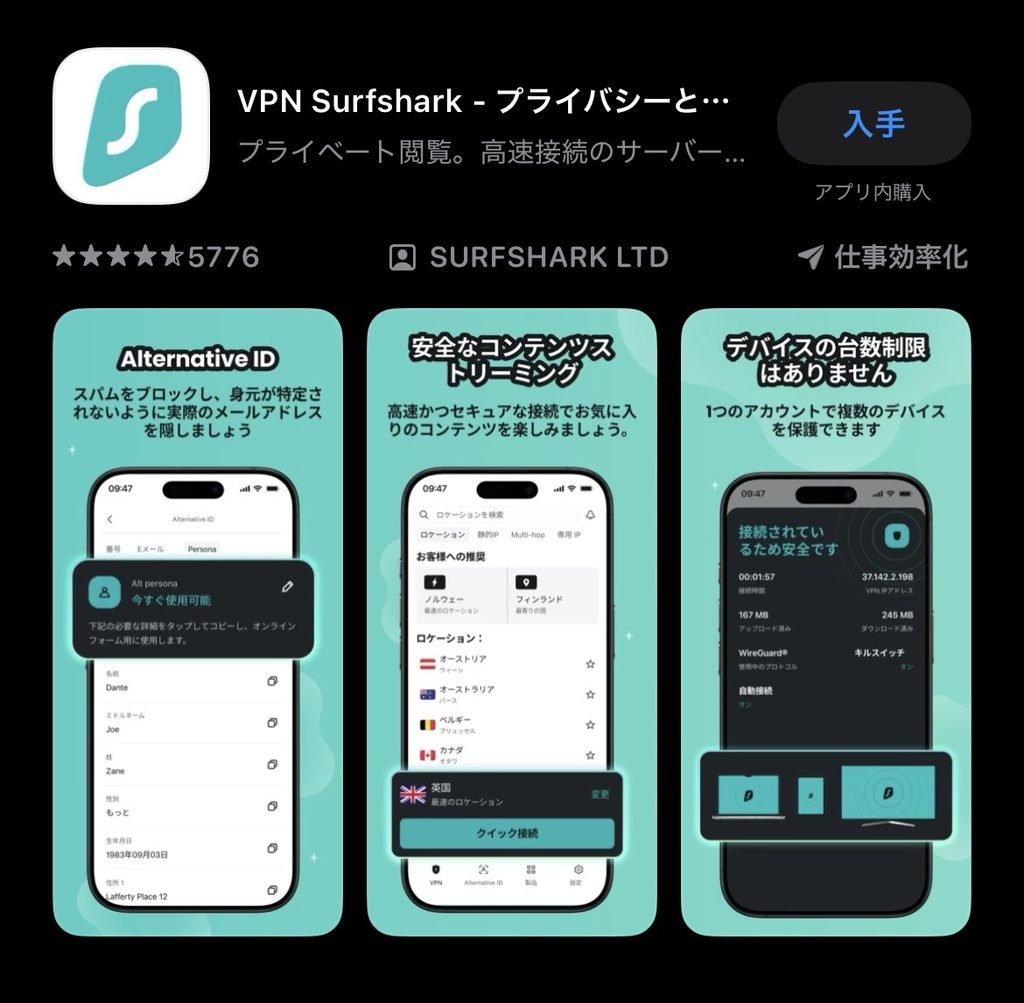
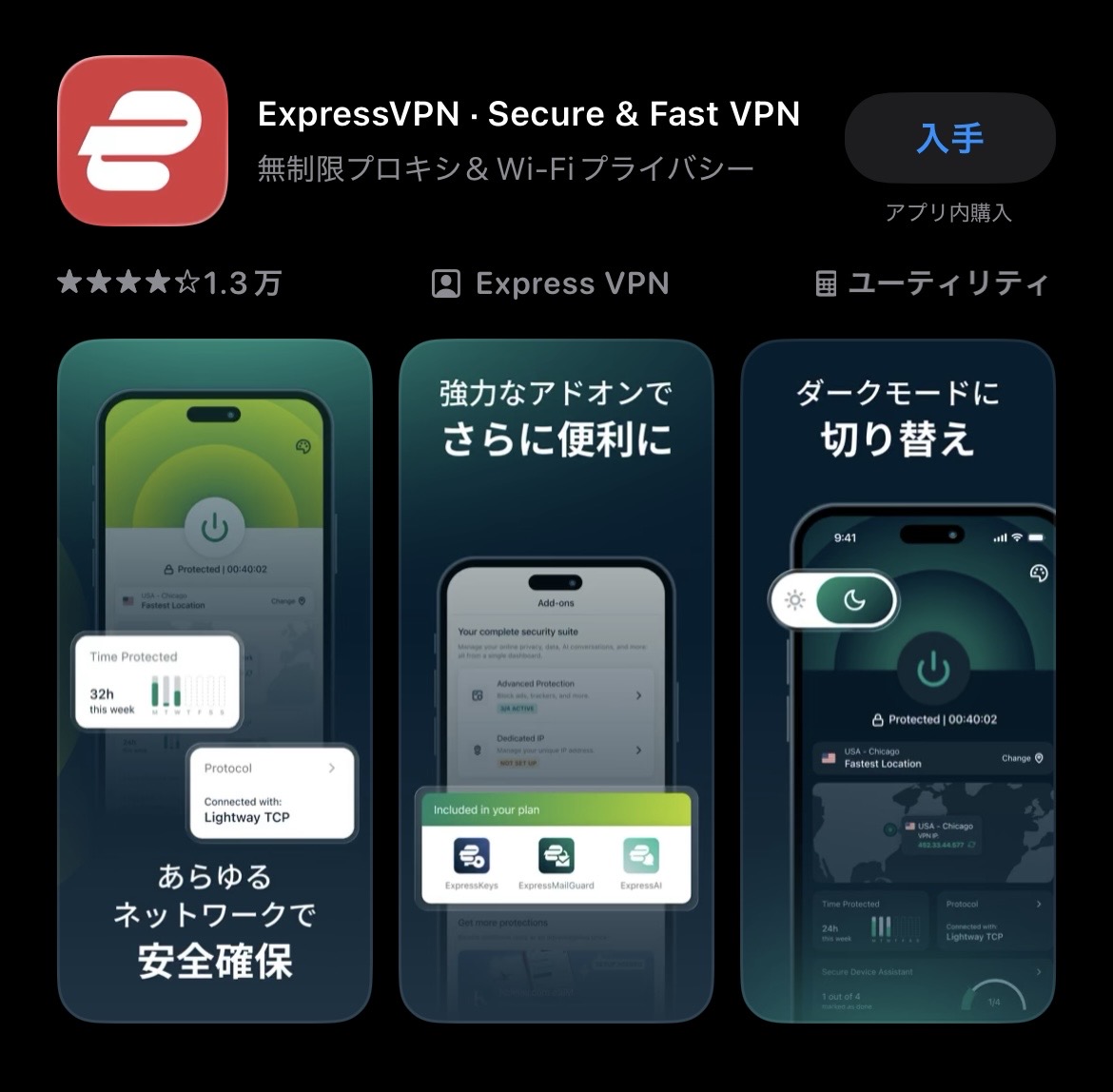
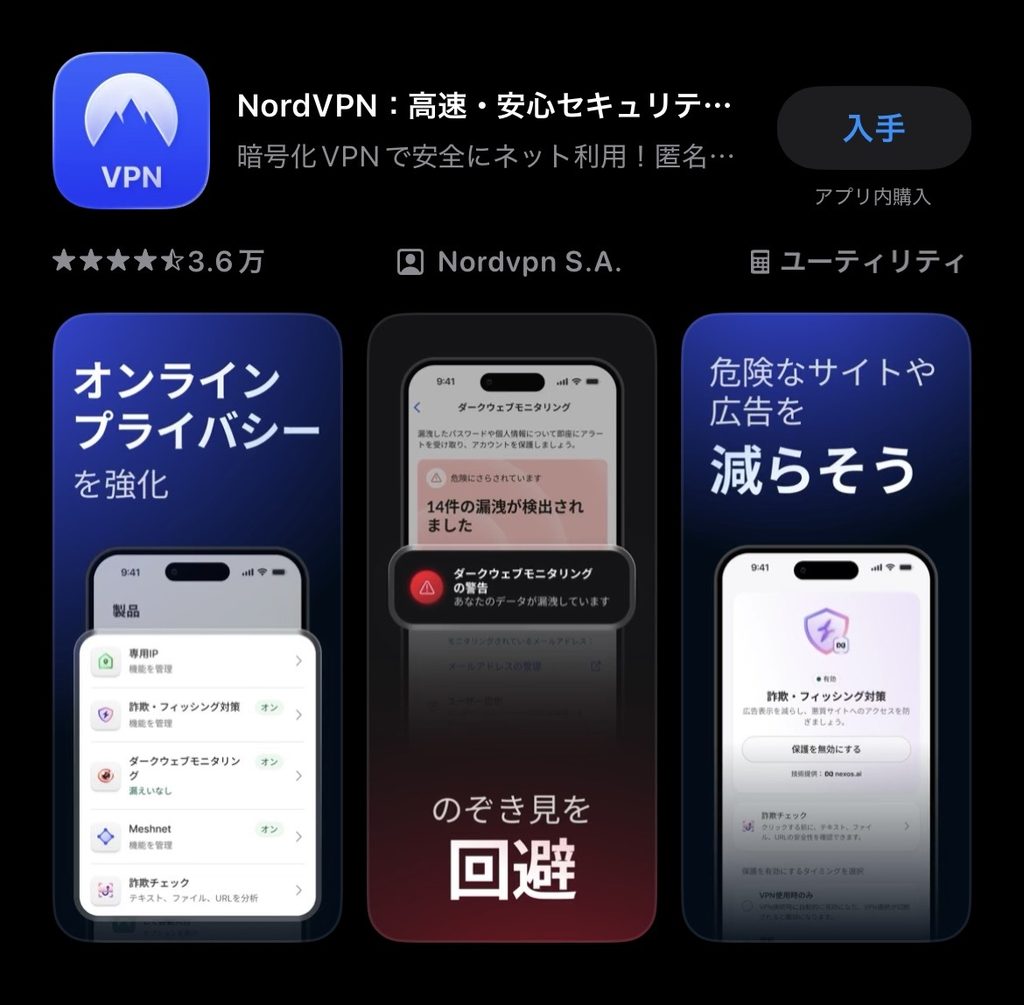
Here are the steps to use the Yahoo! app on your smartphone or to quickly shop on the Rakuten app.
Open the App Store (iPhone) or Google Play Store (Android) and search for and download the official app for the VPN you subscribed to (for example: "Surfshark", "ExpressVPN", "NordVPN", etc.).
Launch the app and log in with the email address and password from when you signed up. When the “Allow adding VPN configuration?” screen appears during the initial launch, tap “Allow” and confirm with your smartphone’s passcode (or facial recognition/fingerprint recognition).
Find "Japan" in the list of countries and tap on it. If the connection button turns green or "Connected" appears, the connection is complete. Make sure to see the "VPN" mark on the top of the smartphone screen.
While the VPN is connected, open the browser (Safari/Chrome) or dedicated app (Rakuten/Yahoo! JAPAN). You can access and log in normally, just as you would in Japan.
Accessing the app on a computer (Windows / Mac)
Here are the steps to use on a large screen computer to read Yahoo! News or compare shopping on Rakuten in detail.
Log in to your My Page (dashboard) from the official website of the VPN service you have subscribed to, and download the app (software) for Windows or Mac to install it on your computer.
Launch the installed app, enter your registered account (email address and password), and log in.
Type "Japan" or "Japan" in the server search window on the screen, select a Japanese server that appears, and click the "Connect" button. When "Connected" appears, the connection is complete.
Open your usual web browser (Google Chrome, Edge, Safari, etc.) and go to the top page of Rakuten or Yahoo! JAPAN. The page will display smoothly without any error messages.
[Quickly Understandable] Comparison Table of the Mobile and Desktop Versions
| Item | Smartphone (iPhone / Android) | PC (Windows / Mac) |
| How to get the app | Available from the App Store / Google Play | Download the installer from the official website |
| Connection operation | Open the app and tap "Japan" once. | Open the app and click "Japan." |
| Confirm connection | The "VPN" indicator appears in the status bar at the top of the screen | The app screen shows "Connected" |
| Recommended ways to use it | Browser (Safari/Chrome) or official app | Regular browsers (Chrome/Edge/Safari, etc.) |
Troubleshooting when accessing the site is not possible
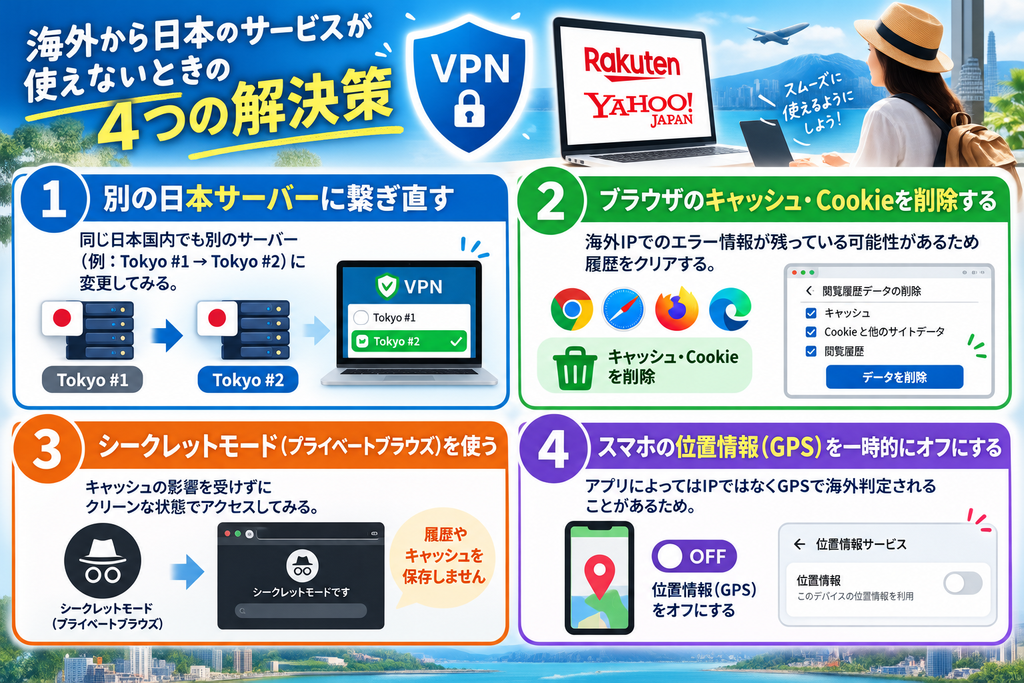
If you’re still having problems connecting to a VPN and your page doesn’t open or you’re getting an error message, try the following four solutions.
Summary
Top 5 recommended VPNs for use comfortably overseas
I understand that I need a VPN to use Rakuten and Yahoo! from overseas, but in the end, which app should I choose?It gets confusing, doesn't it?
There are countless VPN services around the world, but to enjoy shopping on Rakuten and browsing Yahoo! News with the same “comfort as when you’re in Japan,” “communication speed,” “connection stability,” and “high level of security” are the most important factors.
Here, we have carefully selected excellent VPNs that have garnered overwhelming support from overseas residents and travelers based on strict criteria."Top 5 Recommended Rankings"We would like to introduce it as follows:
[Comparison Table] The features of the top 5 recommended VPNs are all on display at a glance!
First, we have compiled the features of each service into an easy-to-understand comparison table.
| Ranking | Service name | Monthly fee estimate (long term) | Communication speed and stability | Number of simultaneous connections | Japanese support | Recommended for people like this! |
| 1st place | ExpressVPN | About 1,000 yen | Top class (◎) | 8 units | Yes (translation) | Those who seek absolute stability and speed |
| 2nd place | Surfshark | About 300 yen | Very fast (〇) | Unlimited | Yes (translation) | For those who want to use it with their family and value cost-effectiveness |
| 3rd place | NordVPN | About 400 yen | Top class (◎) | 10 units | Yes (translation) | For those who want to choose based on speed and popularity |
| 4th place | MillenVPN | About 396 yen〜 | Standard (〇) | 10 units | Completely in Japanese | People who prioritize the safety and support of domestically produced products |
| 5th place | CyberGhost | About 300 yen | Standard (〇) | 7 units | Yes (translation) | For people who want to use it for specific purposes such as watching videos |
*Prices may vary depending on promotions and exchange rates.
Enjoy it anywhere in the world! Top 5 VPN ranking recommended
🏆 First place: ExpressVPN — overwhelming stability and top-notch speed
The number one spot goes to ExpressVPN, a long-time industry leader and also known as the "king of VPNs."
The biggest attraction is,An overwhelming communication speed that cannot be matched by anyone else, and stable connection that never cuts offThat said, the product page, which features plenty of Rakuten images, opens quickly, and Yahoo! video news doesn't freeze at all.
It also has powerful proprietary technology that makes it easy to connect even from countries with extremely strict communication regulations (such as China). The price is slightly higher than other providers, but it is definitely the best choice for those who want a VPN that connects reliably and without stress, and who want to ensure the security of their work emails and payments.
🥈 2nd place: Surfshark – Best value for money & unlimited simultaneous device connections
Second place goes to Surfshark, which has seen rapid growth in recent years.
The biggest advantage is that you can connect any number of devices to the same account. With one account, you can use it on your smartphone, PC, tablet, and smart TV—all at no extra cost. With a long-term subscription, you can enjoy incredible savings starting at just 300 yen per month. The incredibly low price makes it ideal for long-term use—perfect for accessing Rakuten and Yahoo! websites as well as watching Japanese video services with ease.
🥉 3rd place: NordVPN (NordVPN) — No. 1 in popularity! Super-fast connections and strong security
NordVPN is one of the most famous VPNs in the world.
It uses a communication standard developed in-house called "NordLynx," and even if you connect to a Japanese server from a country that is physically far away,Minimizes speed dropIt is also possible to access the service from anywhere in Japan thanks to our large number of servers, which total more than 100. This means you can easily switch to another server if you are blocked by Rakuten or Yahoo!
Fourth place: MillenVPN — A "completely domestically produced" service that is safe for beginners
Among many overseas-based services, the fourth-ranked service is MillenVPN, which is operated by a Japanese IT company.
It is operated under Japanese law, and both the official website and app support "perfect Japanese" service. For those who are worried about using an English translation chat, this is the best option. Moreover, as this is a service originating from Japan, it is also notable for its strong ability to unblock geo-blocks within Japan, including Rakuten and Yahoo! as well as TVer and AbemaTV.
5th place: CyberGhost — With the world’s largest server count and strength in video
Fifth place goes to CyberGhost, which has more than 10,000 servers in over 100 countries worldwide.
The app includes optimized servers for specific purposes, such as “for streaming” and “for downloading.” What makes it appealing is that you can choose the optimal environment with just one click. Additionally, it comes with the industry’s longest “45-day money-back guarantee,” which is highly regarded for allowing you to try Rakuten and Yahoo! in your own location for a long period of time and with complete confidence.
[Conclusion] If you're confused, try ExpressVPN first!
[Q&A] No more confusion! Resolving all the doubts and concerns before using Rakuten and Yahoo! VPN from overseas
When using a VPN for the first time, it’s natural to have concerns—such as "Is it truly safe?" or "Are there any legal issues?" In this guide, we address the questions most frequently asked by users staying abroad, providing clear, easy-to-understand explanations accompanied by helpful illustrations.
[Quick-Reference Guide to Common Questions]
| Category of questions | User concerns and questions | Conclusion (Answer) |
| Laws and rules | Aren't VPNs illegal? | legal(*Excluding some countries) |
| Cost and Safety | Won't a free app work? | Absolutely not allowed(High risk of information leakage) |
| Troubleshooting | I connected it, but I’m getting an error! | 3 clever tricksCan be resolved immediately |
| How to use | Which is better, the app or the browser? | browser(Safari/Chrome) is the most reliable option. |
- Isn't it illegal to use a VPN to bypass access restrictions?
It is completely "legal" in the majority of countries around the world, including Japan, the United States, and those in Europe.
VPNs are a legitimate security technology used by companies to protect internal data and safeguard individual privacy. Therefore, there is nothing illegal about using a VPN to access Rakuten or Yahoo! while traveling or working abroad. However, there are exceptions.China, Russia, Iran, North Korea, etc.In some countries where the government strictly censors internet access, the use of a VPN may be restricted or prohibited by law. If you are traveling to such countries, please ensure you comply with the latest local laws.
- I found a "completely free" VPN on the App Store. Is it safe to use?
This is extremely dangerous. Do not—under any circumstances—use it when shopping on sites like Rakuten Ichiba.
Operating a free VPN incurs massive server maintenance costs. So, how do these services generate a profit? In many cases, they do so by collecting users' browsing history and personal information and selling that data to third parties. Not only can slow connection speeds prevent images on sites like Rakuten from loading, but in the worst-case scenario, your credit card details or passwords could be stolen. To ensure your peace of mind and security, I strongly recommend using a reliable, paid service such as ExpressVPN or Surfshark.
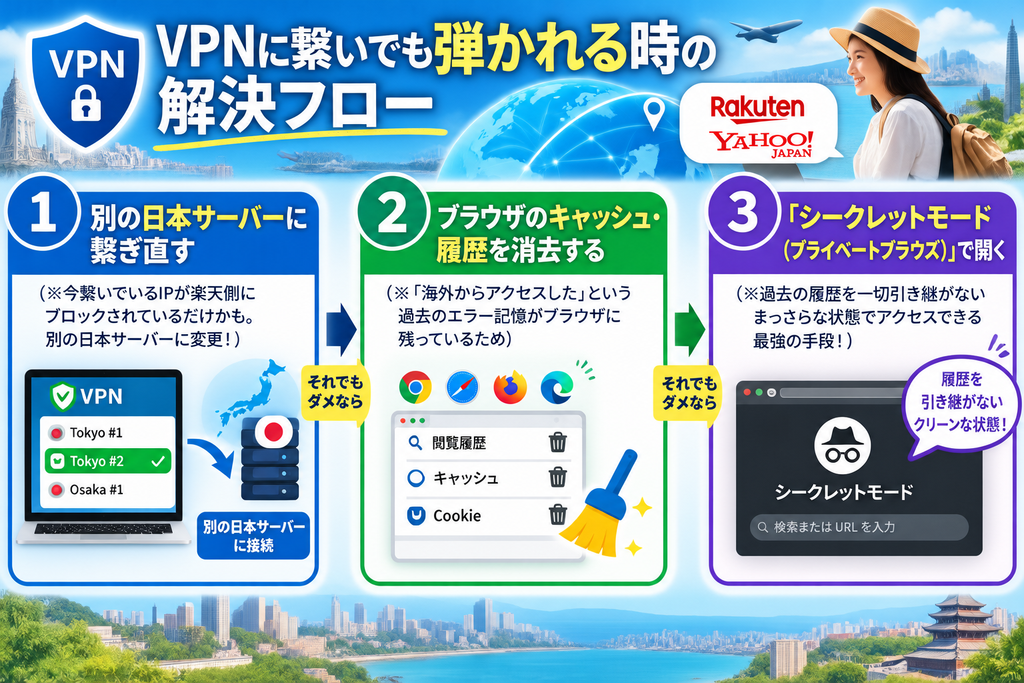
- Even though I’ve connected to a Japanese server via VPN, the error screens on Rakuten and Yahoo! still won’t go away!
焦らなくて大丈夫です。以下の「トラブル解決フロー」を上から順に試してください。ほぼ100%解決します。
- When using a smartphone, should I use the dedicated app (such as the Rakuten Ichiba or Yahoo! app) or a web browser (like Safari)?
ジオブロックを確実にすり抜けるなら「ブラウザ(SafariやChrome)」がおすすめです。
実は、スマートフォン用の専用アプリは、IPアドレスだけでなく「スマホ本体のGPS(位置情報)」を読み取って現在地を特定しようとする傾向があります。そのため、VPNでIPアドレスを日本にしていても、GPSで「海外にいる」とバレて弾かれてしまうことがあります。 専用アプリを使ってエラーが出る場合は、スマホの位置情報をオフにするか、SafariやChromeなどのウェブブラウザから各公式サイトにアクセスしてみてください。
- Is it truly safe to make a credit card payment while using a VPN?
はい、むしろVPNを通さないよりも「圧倒的に安全」です。
海外のカフェやホテルの無料Wi-Fiは、悪意のあるハッカーに通信を覗き見されるリスクが常に潜んでいます。VPNは、あなたのスマホとウェブサイトの間に「軍事レベルの暗号化トンネル」を作り上げます。 このトンネルを通るデータは、たとえハッカーが傍受しても解読できない暗号に変換されているため、クレジットカード情報やログインパスワードが盗まれる心配はありません。楽天でのショッピングや、日本の銀行のオンラインバンキングを利用する際は、VPNが最強の防犯ツールとして活躍してくれます。
[Summary] No more worrying about "not being able to connect!" Bring the entire Japanese internet environment with you with a VPN
「せっかくの海外生活なのに、日本のニュースも見られないし、楽天ポイントもムダになってしまう…」
そんな海外滞在中の大きなストレスも、VPNというたった一つのツールを導入するだけで、嘘のようにすっきりと解消できることがお分かりいただけたかと思います。
ここまでの内容を、最後にもう一度「VPNを導入する前と後」で生活がどう変わるのか、分かりやすく整理してみましょう。
[Illustration: Dramatic Before-and-After Results from Implementing a VPN]
| Item | VPN導入前(そのままのネット接続) | VPN導入後(日本サーバー経由) |
| Yahoo! JAPAN | Not accessible from Europe or elsewhere; errors occur | You can read the news and wisdoms easily just like when you’re in Japan. |
| Rakuten Ichiba | It gets blocked during login and payment due to unauthorized access. | You can shop with peace of mind and safety, and you can also spend your limited-time points. |
| Japanese video sites | TVer and Netflix (Japanese version) are all blocked. | Watch missed episodes and catch all of your Japanese dramas and anime in high quality |
| Security of communication | Entering credit cards with free Wi-Fi in cafes is fraught with the risk of eavesdropping | Zero hacking risk with military-grade strong encryption |
Thus, VPNs are more than just"Tricks to bypass access restrictions"It doesn't stay the same.In an unstable network environment overseas, connect your smartphone or computer toThe "ultimate security tool" to protect against malicious hackersIt also plays a role as such.
"I'm a little worried about the monthly expenses..."Some people may hesitate to do so. However,An investment of just a few hundred yen per month (equivalent to a cup of local coffee)That way, you can always access the latest information about Japan at any time, shop online safely, and enjoy Japanese variety shows on your off days. As a tool to eliminate the inconveniences and homesickness unique to living abroad, its cost-performance ratio is outstanding.